


Fixes where you write
Select, press ⌘D, replace. The smallest fix, with the main mistake explained.
Select a message in Slack, Mail or WhatsApp and press ⌘D. Yazzy corrects the English, keeps your tone, and tells you why in your own language.
macOS 14+ · 4.1 MB · freeiPhone app: coming soon · email me at launch
Free: 10 checks a day · No account
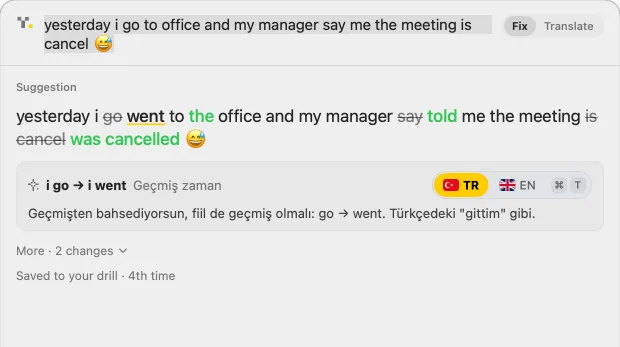
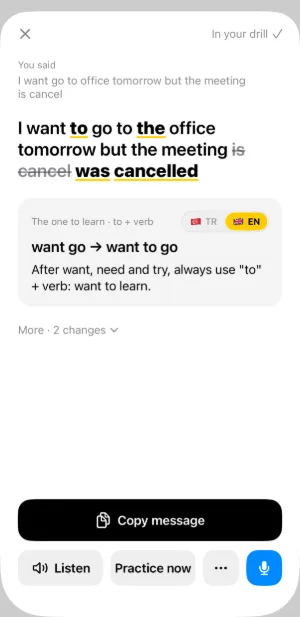
From a quick Slack reply to an email to a client, Yazzy fixes your English and tells you why, in the language you think in.
No new editor and no copy-paste into a chat bot. Yazzy sits in your menu bar and answers in about two seconds.
Highlight your message in any app.
The fix appears over your text, with the main mistake explained.
Swap in the fixed text and send it.
Slack · Mail · Gmail · WhatsApp · Teams · LinkedIn · Notes · and almost any app where you can select text
Real screens from Yazzy, not mockups.
Select, press ⌘D, replace. The smallest fix, with the main mistake explained.
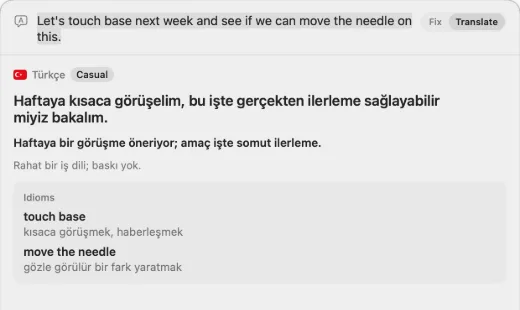
Paste a message you got: the translation, the point, the tone and the idioms.
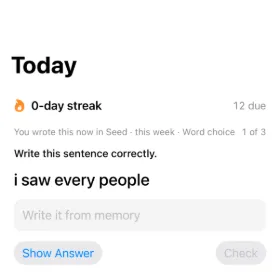
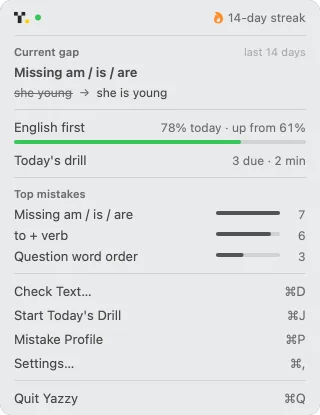
The mistakes you repeat come back as short exercises from your own sentences.
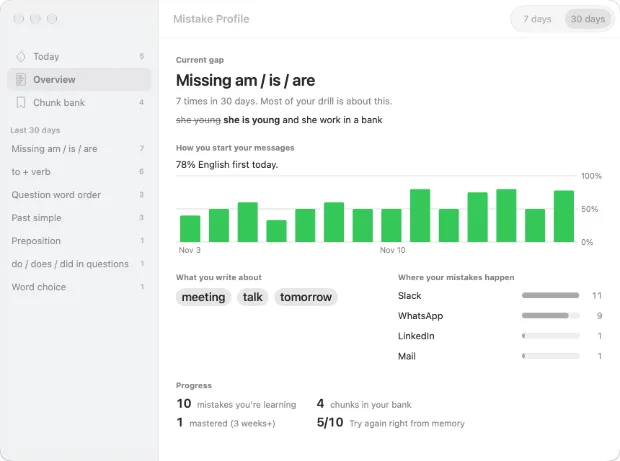
The mistakes you make most and the apps where they happen, at a glance.
 Español
Written in EspañolI have 28 years and I am working here since 2019.1 / 3
I have I'm 28 years and I am I've been working here since 2019.
Usa “I’m” para la edad, no “I have”.
Your words, tone, lowercase and emoji stay. Yazzy changes only what is wrong.
One short line says why, in the language you think in. Switch to English with one click.
Type the sentence in Spanish, Turkish or Japanese and get the English to send.
The mistakes you repeat come back as a two-minute drill made from your own sentences.
Start free. No account, no card.
$0
Features
Most popular
$4.99/monthor $39.99/year
Features
Privacy policy
Draft launch prices. Cancel any time.
Select it and press ⌘D on your Mac, or paste it into the iPhone app. Yazzy shows the corrected sentence, marks what changed and explains the main mistake. If the sentence is already correct, it says so, or offers a more natural version as a tip.
No. It helps at the moment you write a message, an email or a Slack reply. The short explanations mean you make the mistake less often, but you never have to sit down and study.
Your own. The examples on this page show 13: Spanish, Portuguese, German, Turkish, French, Arabic, Hindi, Indonesian, Japanese, Korean, Chinese, Russian and Vietnamese. You can switch any explanation to English.
Yes. If you don't know how to start, write the message in your language. Yazzy gives you the English to send and a tip for writing the first words yourself next time.
Yes. 10 checks a day are free, with no account. Pro adds more checks and read-aloud.
In almost every app where you can select text. If an app blocks pasting, Yazzy copies the fix for you.
To read the text you selected and paste the fix back. Yazzy reads only when you press the shortcut.
Free to start. Set up in a minute.
macOS 14+ · 4.1 MB · freeiPhone app: coming soon · email me at launch
Free: 10 checks a day · No account